 straylight
NETWORK QUALITY · APPLE SILICON
Is it the Wi‑Fi,
or the internet?
straylight measures latency, jitter and packet loss to your router and to the internet side by side, so the menu bar answers the question before a call starts stuttering. It keeps a week of per-minute history, with outages logged and exportable for your ISP.

WHAT IT SHOWS
ROUTER AND INTERNET
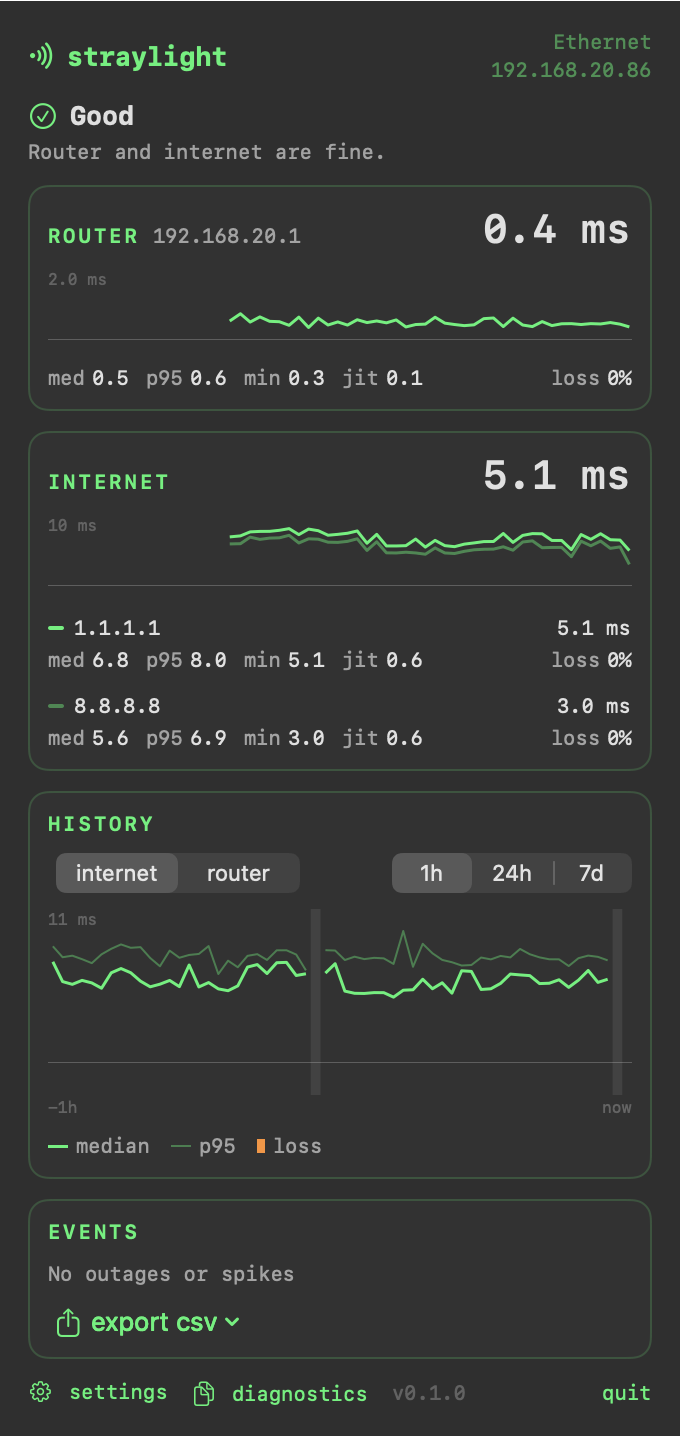
Your router and two internet hosts from different providers, measured together, with a plain verdict: Good, Internet problem, Internet down, Local network problem or Offline.
LATENCY, JITTER, LOSS
The latest reply, median and p95, jitter and loss for each target, with a 60-second trace where a lost ping drops the line flat. Wi‑Fi signal and noise alongside.
HISTORY
Per-minute stats for 7 days and hourly for up to 90, outages and spikes logged, sleep and pauses marked as gaps. Export it as CSV to show your ISP.
NETWORK TRAFFIC
straylight sends small ping packets (56 bytes) to the targets you choose: your router, 1.1.1.1 and 8.8.8.8 by default, plus 1.1.1.1 over IPv6 on networks that have it. That's one per target per second on power and one every 5 seconds on battery. It stops while the screen is locked unless you turn on overnight monitoring. If a network blocks ping, it times a normal HTTPS connection instead.
The only other request is a daily update check to this site. There's no telemetry, and history stays on your Mac unless you export it.
RESOURCE USE
WHAT'S NEW IN 0.1.0
The first release.
- Router and internet measured side by side, with a plain verdict: Good, Internet problem, Internet down, Local network problem or Offline
- Two internet hosts from different providers, plus IPv6 on dual-stack networks, with a TCP fallback for hosts that block ping
- Latency now, median and p95, jitter and loss per target, with a 60-second trace
- History: per-minute stats for 7 days, hourly for up to 90, minute states for sleep, lock and pauses, and CSV export of measurements and outages
- Wi‑Fi signal, noise and transmit rate next to the measurements
- Fixed-width menu bar with text, a trace or both; pause for an hour from the right-click menu
- Probes every 5 seconds on battery, in Low Power Mode and on Low Data or hotspot networks; stops while the screen is locked
- Optional notifications for outages and verdict changes
- Copy diagnostics for bug reports; no telemetry
REQUIREMENTS
- macOS 27 or later
- Apple Silicon (M1 or newer)
- Signed and notarized by Apple
- Updates itself in the background